Create a Cloider account
You create a Cloider account by signing in with your Google or GitHub account on cloider.com. There is no separate Cloider password and no sign up form: the first sign in creates your account and starts a 14-day free trial.
At a glance
| Sign in with | Google or GitHub (OAuth). Your email address from the provider becomes your Cloider identity |
| Trial | 14 days, with $25 of free credit, as advertised on cloider.com |
| Trial limits | One Kubernetes cluster, one database, one bucket and one container registry project at a time |
| After the trial | The account owner upgrades to the paid plan, or the account is suspended and its resources are deleted |
| Session length | A dashboard session lasts 24 hours, then you sign in again |
Before you begin
- A Google account or a GitHub account. Cloider uses the email address of that account. For GitHub, that is your primary email address, and it must be verified on GitHub.
- A web browser.
Cloider identifies you by your email address, in lowercase. If your Google account and your GitHub account use the same email address, both sign you in to the same Cloider user and the same account. If they use different addresses, you get two separate Cloider users.
Sign up
- Go to cloider.com.
- Click Login / Register in the top navigation bar.
- In the Login Or Register dialog, click Sign in with Google or Sign in with Github.
- On the Google or GitHub page, choose your account and approve the request. Cloider reads your name, email address and profile picture.
- You return to cloider.com and land on the dashboard.
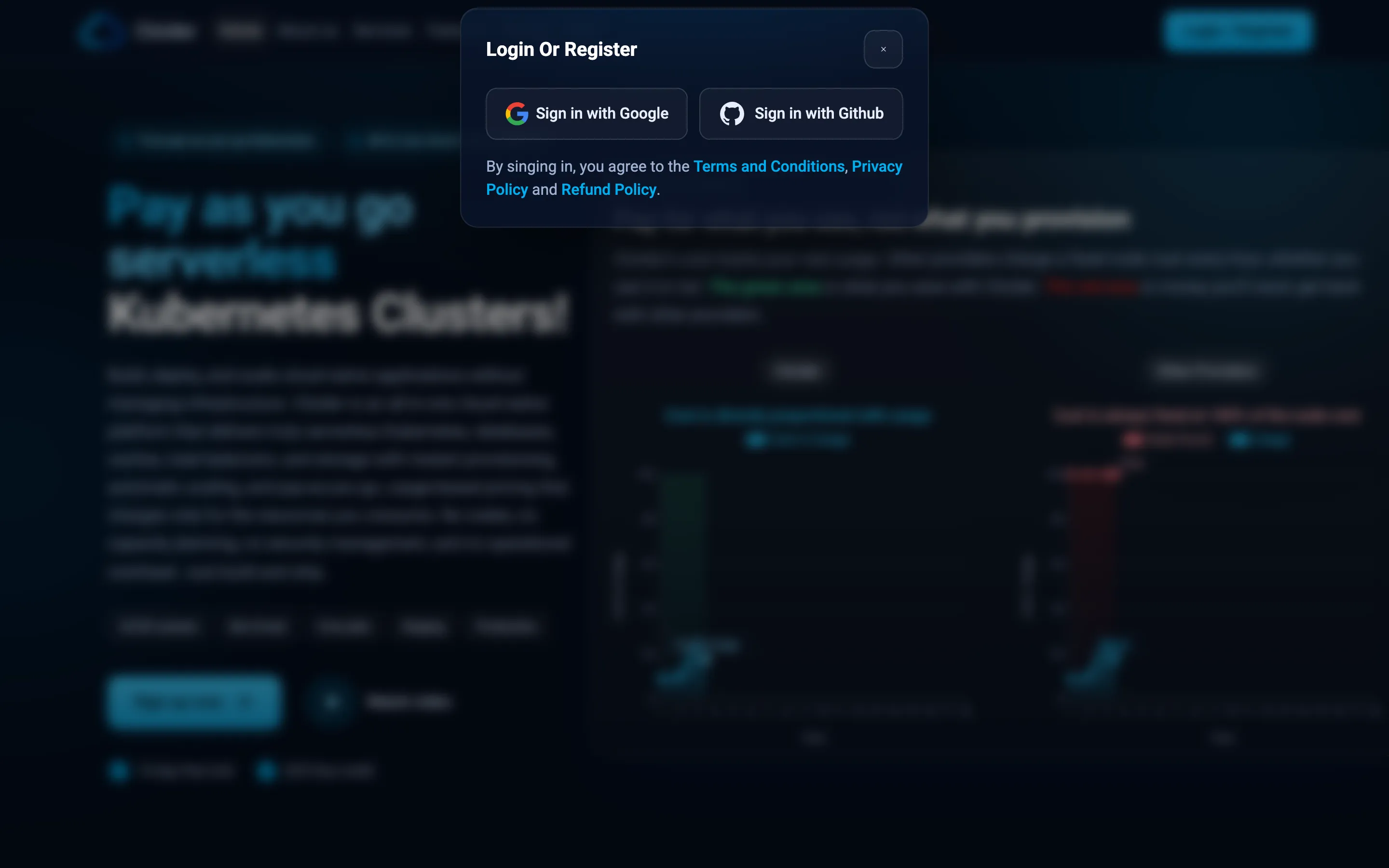
By signing in you agree to the Terms and Conditions, the Privacy Policy and the Refund Policy linked under the buttons.
Verify that your account works
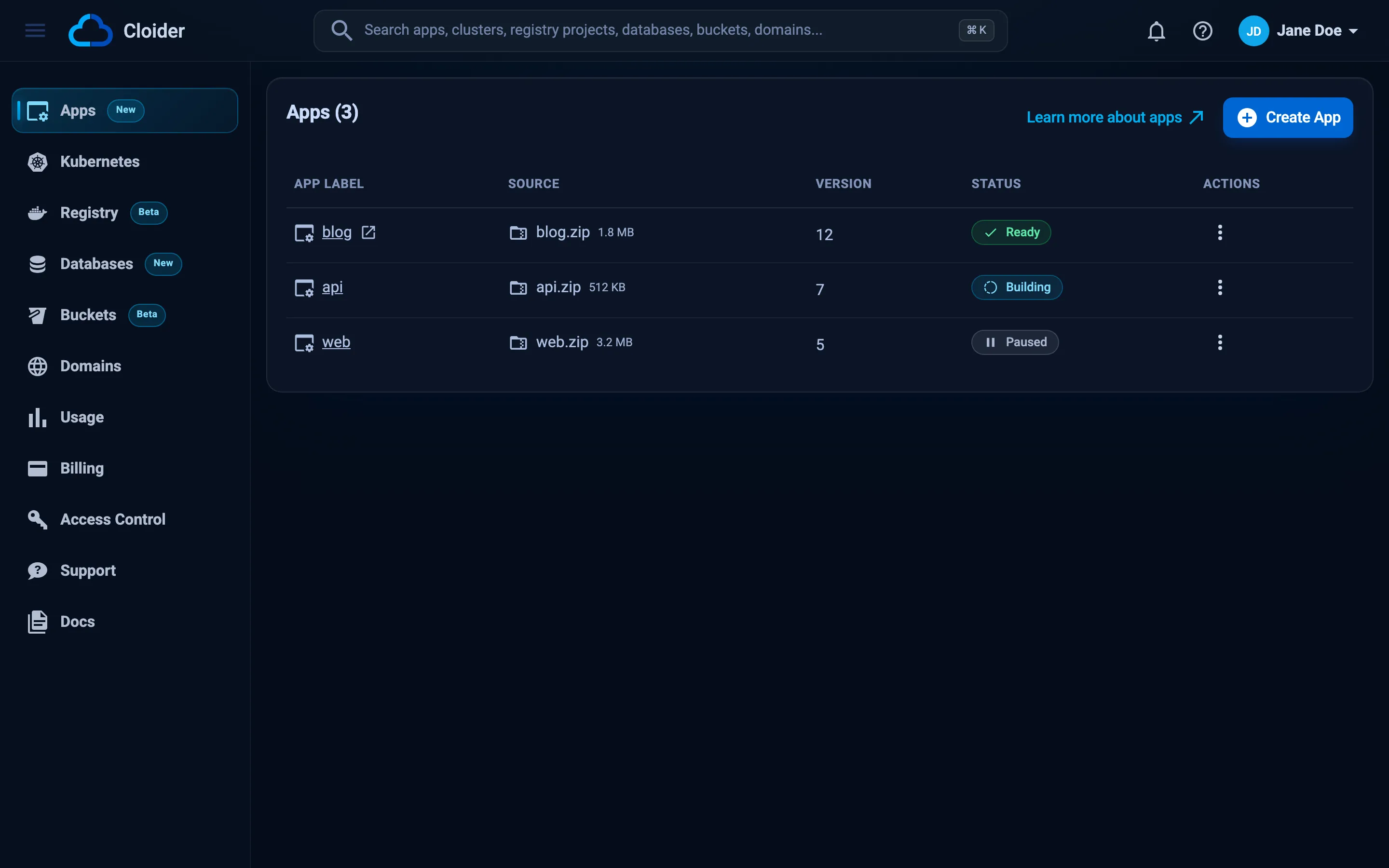
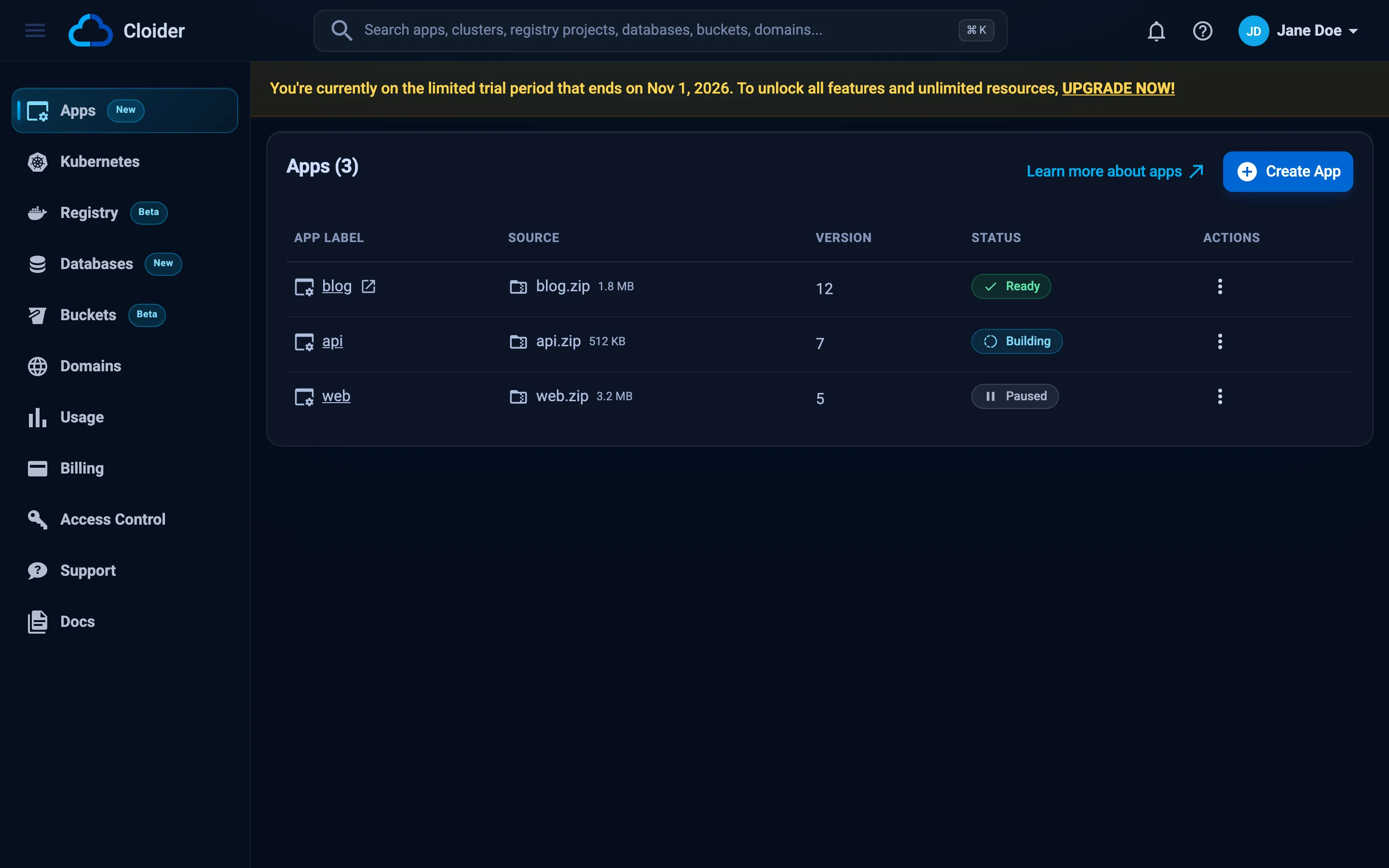
You are signed in when the dashboard opens and your name and picture appear in the top right corner. A banner at the top of the dashboard says that you are currently on the limited trial period and, within a day of signing up, on which date it ends.
From the command line you can check the same thing after installing the CLI:
cloider whoami
User:        jane@example.com
Account:     jane@example.com
Role:        Owner
Access:      Read & Write
Token:       Cloider CLI on janes-macbook
Profile:     default
API:         https://cloider.com/api
Token from:  /Users/jane/.cloider/token
Your user and your account
Signing up creates two things that share your email address:
- Your user is you, the person who signs in.
- Your account is where resources live and where usage is billed. You are its Owner.
You can later be invited to other people's accounts as a member, and you can invite others into yours. Each resource belongs to exactly one account. Read Accounts and roles for how users, accounts, members and roles fit together, and Switch accounts for moving between them.
The free trial
A new account is on the Free plan, which is the trial. The trial is 14 days long. Its end date appears in the banner within a day of signing up, 14 days from that day.
What the trial includes
During the trial you can use every product, with one limit: you can have at most one of each of these at a time.
| Resource | Trial limit | Error when you try to create a second one |
|---|---|---|
| Kubernetes cluster | 1 | Free plan users can not create more than one cluster. UPGRADE NOW! |
| Database | 1 | Free plan users can not create more than one database. UPGRADE NOW! |
| Bucket | 1 | Free plan users can not create more than one bucket. UPGRADE NOW! |
| Container registry project | 1 | Free plan users can not create more than one project. UPGRADE NOW! |
Deleted resources don't count toward the limit, so you can delete a cluster and create another. The registry project Cloider creates for your apps' images doesn't count either. Apps, domains and DNS records have no trial specific limit. The account wide limits that apply on every plan are listed in Limits and quotas.
Trial reminders
Cloider emails the account owner reminders during the trial, on days 4, 7, 10, 12, 13 and 14, with the subject Action Required: Upgrade to a Paid Plan with Cloider. On the trial end date you get ACTION REQUIRED! Your Trial Ends Today, which warns that the account is suspended 24 hours later.
What happens when the trial ends
If the account is still on the Free plan the day after the trial ends:
- The account is suspended. The banner turns red and says Your trial has expired and your account is suspended.
- The account's Kubernetes clusters are deleted, and its other resources can be permanently deleted as well.
- The owner receives the email Your Cloider account has been suspended.
A suspended account can't create clusters, databases, buckets, registry projects, apps, domains, DNS records, targets, access keys or registry tokens. Those requests fail with:
Your account is suspended. Upgrade to a paid plan to continue using our services.
To keep what you built, the account owner clicks UPGRADE NOW in the trial banner before the trial ends. Members of the account see a message that the owner needs to upgrade. If your account was suspended by mistake, contact support@cloider.com.
Upgrade to the paid plan
On the paid plan the one-of-each trial limit is gone and you pay monthly for what you use. Only the account owner can upgrade:
- In the dashboard banner, click UPGRADE NOW.
- Complete the upgrade request that opens in a new tab.
How usage is metered and invoiced is explained in Billing model.
Troubleshooting
I signed in with GitHub and see an empty account
Your GitHub account probably uses a different email address than the Google account you used before, so Cloider created a second user. Sign out (account menu, Logout) and sign in with the provider you used originally.
I see "Select an account" instead of the dashboard
You are a member of at least one other account, so Cloider asks which account to open. Pick one. See Switch accounts.
"Login session lost!"
Your session expired (sessions last 24 hours) or you signed out in another tab. Click Reload page and sign in again. See Troubleshooting for more sign in problems.
Next steps
- Dashboard tour: learn your way around.
- Deploy your first app.
- Invite your team to your account.
Frequently asked questions
How do I sign up for Cloider?
Go to cloider.com, click Login / Register and choose Sign in with Google or Sign in with Github. The first sign in creates your Cloider account and starts the 14-day free trial.
Can I sign up with an email and password?
No. Cloider only supports signing in with Google or GitHub. Your email address from that provider identifies you in Cloider.
How long is the Cloider free trial?
The trial is 14 days. The dashboard banner shows the date it ends, and the account owner gets email reminders before it ends.
What are the limits of the free trial?
During the trial an account can have at most one Kubernetes cluster, one database, one bucket and one container registry project at a time. Deleted resources do not count.
What happens to my resources when the trial ends?
If the owner has not upgraded, the account is suspended the day after the trial ends and its resources are deleted, starting with its Kubernetes clusters. A suspended account cannot create new resources.
Who can upgrade an account to the paid plan?
Only the account owner. Members see a message in the dashboard that the owner needs to upgrade.
Can I use the same Cloider account with Google and GitHub?
Yes, if both providers give the same email address. Cloider matches users by email address, so both sign ins open the same user and account.