Resource lifecycle, statuses, pausing and deleting
Every Cloider resource (a cluster, an app, a database, a bucket, a registry project, a domain) goes through the same broad life: it is created, provisioned in the background, becomes Ready, can be paused and resumed if it runs compute, and is finally deleted. Its status tells you where it is at any moment.
At a glance
| Stage | Clusters | Databases | Apps | Buckets, registry projects |
|---|---|---|---|---|
| Being created | Creating, then Starting | Creating, then Starting | Pending, Queued, Building, Deploying, Starting | Creating |
| Usable | Ready | Ready | Ready | Ready |
| Pausing | Pausing, then Paused | Pausing, then Paused | Pausing, then Paused | Can't be paused |
| Resuming | Starting, then Ready | Starting, then Ready | Starting, then Ready | |
| Changing size | Upgrading (resize) | A new build | ||
| Deleting | Terminating, then gone | Terminating, then gone | Terminating, then gone | Terminating, then gone |
| Couldn't be provisioned | Failed | Failed |
Every status value is listed with its meaning in Status values.
Creating and provisioning
Creating a resource is asynchronous. The API (and so the dashboard, the CLI, Terraform and the MCP tools) accepts the request, stores the resource and answers at once with its id. Cloider then provisions it in the background, which takes from a few seconds (a bucket) to a few minutes (a cluster).
While a resource is provisioning, some actions are disabled. For example, a cluster's Kubeconfig, Terminal and Pause menu items are greyed out until it is Ready.
Waiting for a resource to be ready
- Dashboard
- CLI
- Terraform
- API
- MCP
List pages and detail pages poll the status while a resource is changing and update it in place. You don't need to reload.
--wait (-w) makes create, pause, resume, resize and delete wait until the change is done, for up to 15 minutes by default (--timeout changes it). The status subcommands print the current status:
cloider cluster create staging --wait
cloider db status orders-db
Ready
If a resource settles on Failed, --wait exits with an error.
Resources wait until they are ready before terraform apply moves on. Clusters wait up to 20 minutes by default, which you can change with a timeouts block:
resource "cloider_cluster" "staging" {
  name = "staging"

  timeouts = {
    create = "30m"
  }
}
Poll the resource's status endpoint, which answers with the status as plain text:
curl -H "Authorization: Bearer $CLOIDER_TOKEN" https://cloider.com/api/clusters/q7m2x/status
Starting
Status endpoints exist for clusters, databases, apps, buckets and registry projects: GET /api/<clusters|databases|apps|buckets|registry/projects>/<id>/status. Once deleted, a cluster, database or app answers Terminated, and a bucket or registry project answers 404.
Tools that start a long change take a wait argument, which waits up to 15 minutes:
{"name": "staging", "wait": true}
Pausing and resuming
Pausing stops a resource's compute while keeping its data and configuration, so you stop paying for compute. Clusters, databases and apps can be paused. Buckets, registry projects and domains have no compute and can't be.
| Resource | What a pause keeps | What it stops | Billing while paused |
|---|---|---|---|
| Kubernetes cluster | Everything in the cluster: objects, configuration, persistent volumes | The control plane and all workloads. kubectl can't reach it | Persistent volumes only |
| Database | Its data, users and settings | The database server | The storage of its plan |
| App | Its image, environment variables and settings | The app's containers | Nothing |
Resuming starts everything again from where it was. Each resource goes through Starting before it is Ready.
- Dashboard
- CLI
- Terraform
- API
- MCP
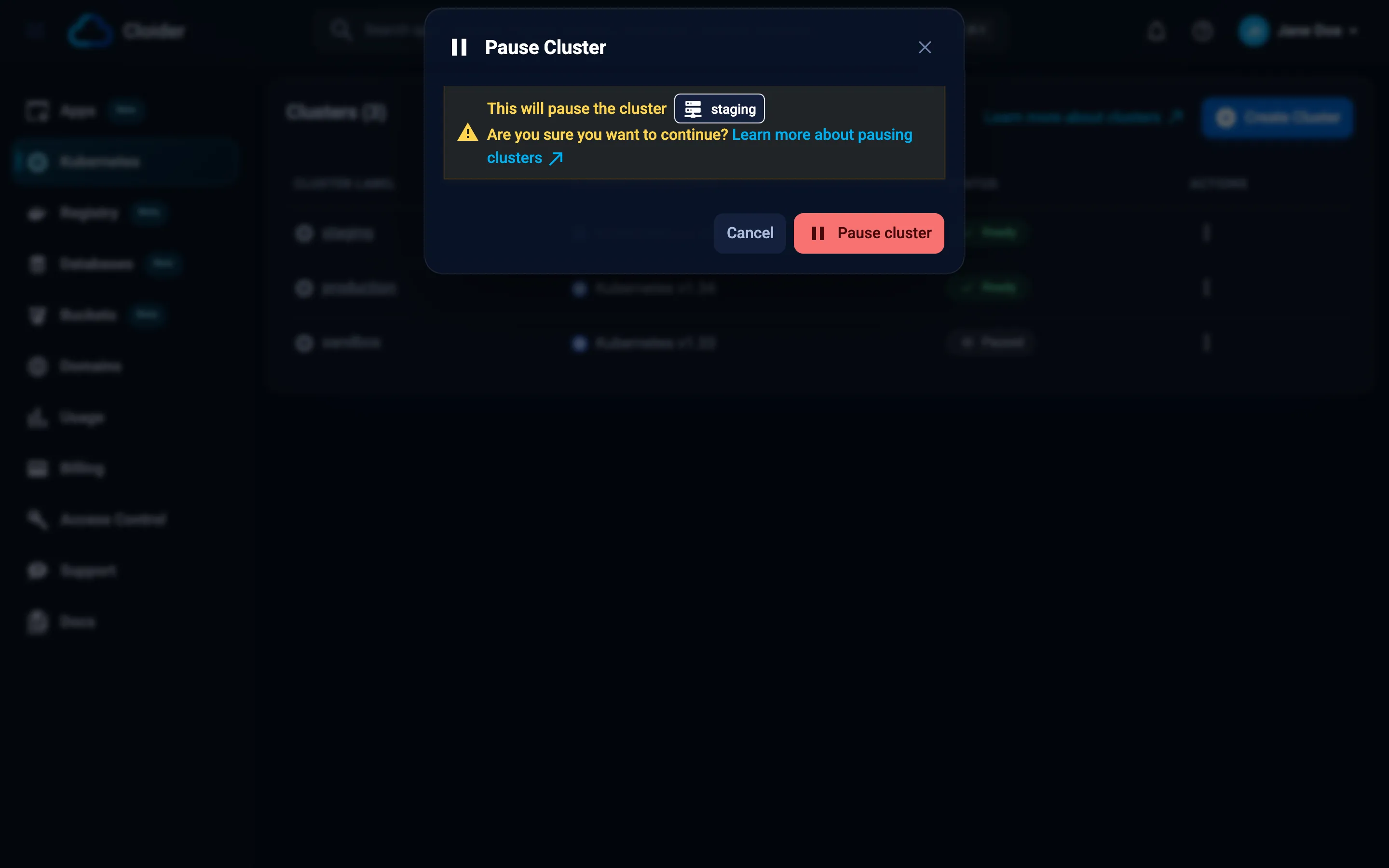
In the product's list page, open the row menu (three dots) and click Pause, then confirm. Resume is in the same menu once the resource is paused.
cloider cluster pause staging --wait
cloider cluster resume staging --wait
cloider db pause orders-db
cloider app pause blog
Clusters have a paused argument:
resource "cloider_cluster" "staging" {
  name   = "staging"
  paused = true
}
curl -X POST -H "Authorization: Bearer $CLOIDER_TOKEN" https://cloider.com/api/clusters/q7m2x/pause
curl -X POST -H "Authorization: Bearer $CLOIDER_TOKEN" https://cloider.com/api/clusters/q7m2x/resume
The same pause and resume endpoints exist under /api/databases/<id> and /api/apps/<id>.
{"cluster": "staging", "wait": true}
pause_database, resume_database, pause_app, resume_app and resume_cluster work the same way.
Product specific details are in Pause and resume a cluster, Pause, resume and delete a database and Pause, resume and delete an app.
Deleting
Deleting removes a resource and everything in it, permanently. A deleted cluster takes its workloads and volumes with it; a deleted database takes its data; a deleted bucket its files. There is no undo and no recycle bin.
- The dashboard asks you to confirm, and for clusters you type the name.
- The CLI asks you to type the name. In scripts,
--yesskips the question; without a terminal, a delete without--yesfails instead of waiting. - MCP delete tools are marked as destructive, so your agent's client can ask you first.
The status becomes Terminating while Cloider removes the resource, and the resource then disappears from lists. Billing stops when it is deleted. Its past usage stays visible on the Usage page for 60 days.
Deleting an app also releases its free subdomains unless you keep them (cloider app delete blog --keep-domains). Deleting a domain deletes its DNS records and targets.
Download what you need first: database backups or a dump, the files in a bucket, the images in a registry project. Once a delete has started it can't be stopped.
Names, labels and ids
Every resource has an id, and most have a name and a label:
| What it is | Example | Unique? | |
|---|---|---|---|
| id | Cloider's identifier, used in API paths | q7m2x | Yes |
| name | What you typed when you created it | staging | Not for clusters, databases and apps |
| label | The name shown in the dashboard and CLI. The name, with -1, -2... added when another resource of the same kind already uses it | staging-1 | Yes, among the account's resources of that kind |
- Clusters, databases and apps can share a name. The second
stagingcluster gets the labelstaging-1. A database's label can be changed later (cloider db rename orders-db orders), which doesn't change its host, user or database name. - Buckets and registry projects have names that are unique across all of Cloider, so they don't need labels: if
acme-assetsis taken by someone else, pick another name. - Domains are identified by the domain name itself, such as
example.com. - Ids are short strings of lowercase letters and digits for resources (
q7m2x). Support requests have uppercase ids.
Referring to a resource in the CLI and MCP
The CLI and MCP tools accept a resource's id, name or label wherever they need one:
cloider cluster get staging      # by label or name
cloider cluster get q7m2x        # by id
If a name matches more than one resource, the CLI lists them and asks for the id:
Error: 2 clusters are named "staging", pick one by id:
  staging, staging (id q7m2x)
  staging-1, staging (id k3p9a)
Terraform and the API always use ids.
Next steps
- Status values: every status, per product.
- Billing model: what each status costs.
- Limits and quotas: name rules and per account limits.
Frequently asked questions
Which Cloider resources can be paused?
Kubernetes clusters, databases and apps. Buckets, registry projects and domains have no compute and cannot be paused.
Does pausing a cluster delete my workloads?
No. A paused cluster keeps everything in it, including persistent volumes. Its control plane and workloads stop, and resuming starts them again.
Can I undo a delete?
No. Deleting a cluster, database, app, bucket or registry project removes it and everything in it permanently. Back up what you need first.
Why does my cluster have a -1 in its name?
Another cluster in the account already uses that name. Cloider keeps the name you typed and adds -1, -2 and so on to the label, so each label is unique.
How long does provisioning take?
From seconds for a bucket to a few minutes for a Kubernetes cluster or a database. Use --wait with the CLI, the wait argument with MCP, or watch the status in the dashboard.
What does Terminating mean?
The resource is being deleted. It disappears from lists once Cloider has removed it.