Pause, resume and delete a Cloider app
Pausing an app stops its container but keeps everything it needs to come back: its live version, its image, its environment variables, its domains and its build history. A paused app costs nothing for compute. Resuming starts it again on the same version. Deleting an app removes it for good, together with its images and, by default, its free subdomains. This page covers all three and what each one costs. Pausing a cron job stops its schedule and a run going at that moment, and resuming it puts the schedule back.
At a glance
| Pause | Resume | Delete | |
|---|---|---|---|
| Container | Stopped | Started on the version it was serving | Removed |
| Image, variables, builds | Kept | Kept | Removed |
| Free subdomain | Kept, answers with an error | Serves the app again | Deleted by default |
| Custom domain | Kept, answers with an error | Serves the app again | Kept; only its route to the app is removed |
| Compute cost | None | Billed again | None |
| Allowed when | The app is Ready and no build is running | The app is Paused | Any time, unless it is already being deleted |
| Statuses | Pausing then Paused | Starting then Ready | Terminating, then gone from the list |
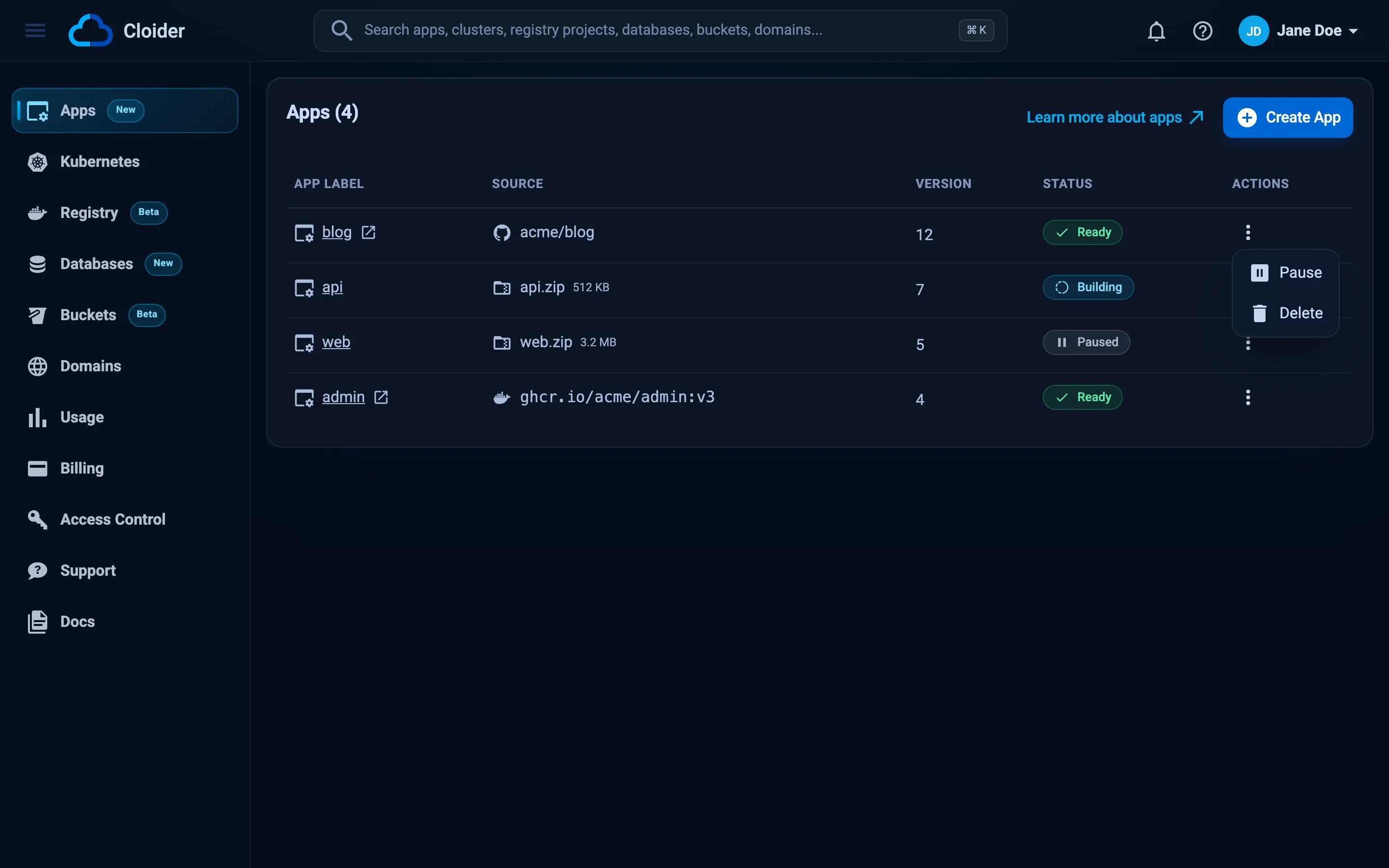
Pause, resume and delete are in the actions menu (the three dots) of each app on the Apps list.
Pause an app
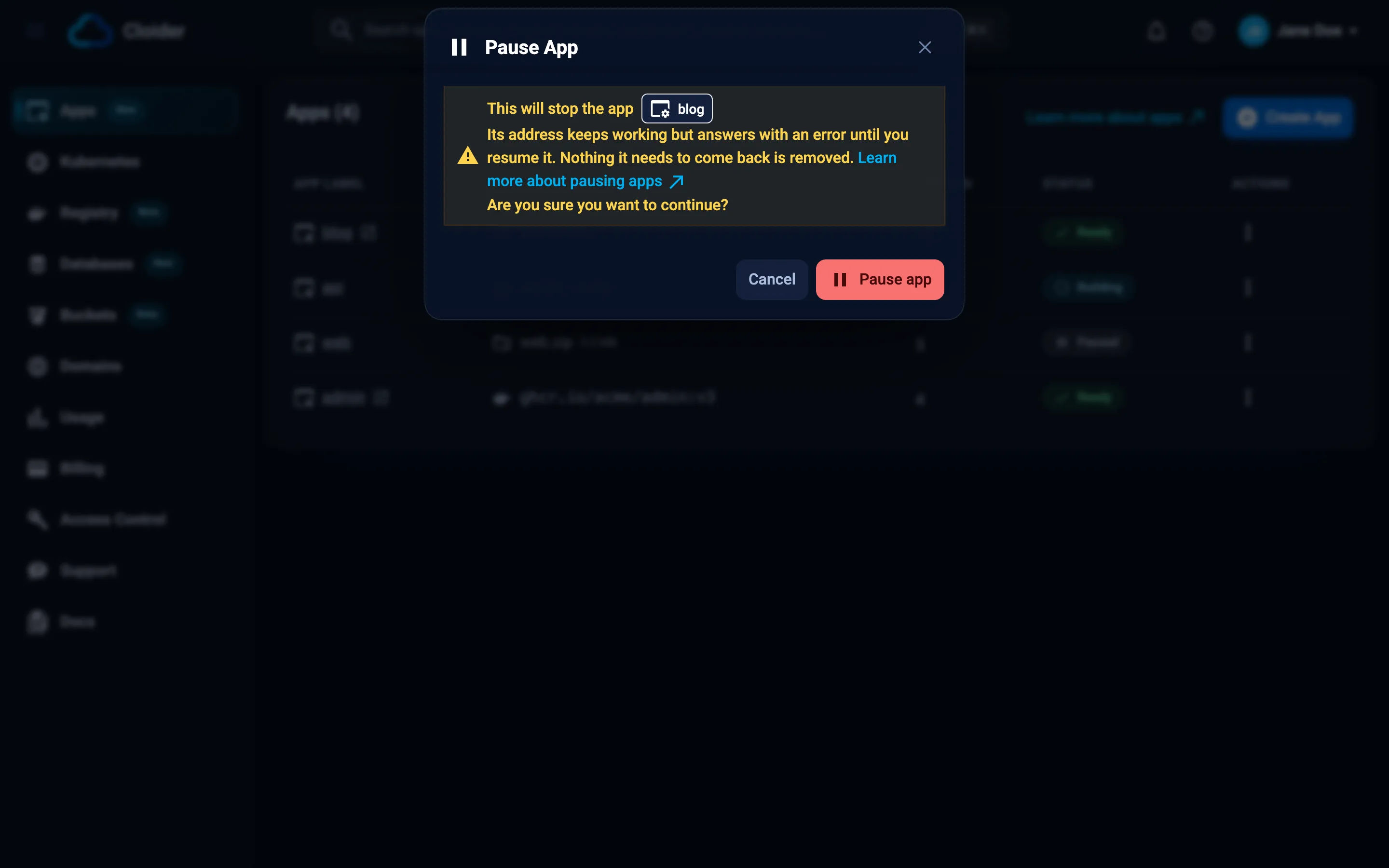
Pause an app you don't need right now: a staging app overnight, a demo between presentations, a side project. Its address keeps resolving but answers with an error until you resume it.
- Dashboard
- CLI
- Terraform
- API
- MCP
- Open Apps in the sidebar.
- Click the three dots of the app and choose Pause.
- In Pause App, click Pause app.
The status goes Pausing, then Paused. The Logs and Terminal tabs are hidden while it is paused.
cloider app pause blog --wait
✓ App blog is paused
Without --wait the command returns at once with ✓ App blog is pausing.
The Terraform provider can't pause apps. Use the dashboard, the CLI or the API.
curl -X POST https://cloider.com/api/apps/a7c2mq/pause \
  -H "Authorization: Bearer $CLOIDER_TOKEN"
The response is the account's app list, with this app in Pausing. Poll GET /api/apps/a7c2mq/status until it
answers Paused.
Pause the blog app.
{"app": "blog", "wait": true}
What can I do with a paused app?
While an app is paused:
- Can't: deploy a new version, retry a build, change the port, start command, build arguments or build variables, open a terminal, run commands or read logs. Pushes to a git app's branch are skipped.
- Can: read the Overview, Insights and Builds tabs, change environment variables (they apply when it resumes), manage its domains, and delete it.
How is a paused app billed?
A paused app has no running container, so it records no CPU or memory and costs nothing for compute. Its images stay in your account's apps registry project, which is billed by storage like any registry project. See Insights for the app's cost.
Resume an app
Resuming starts the app again on the version it was serving, with its current environment variables. Nothing is built.
- Dashboard
- CLI
- Terraform
- API
- MCP
- Open Apps in the sidebar.
- Click the three dots of the paused app and choose Resume.
- In Resume App, which says the version it comes back on, click Resume app.
cloider app resume blog --wait
✓ App blog is ready
The Terraform provider can't resume apps. Use the dashboard, the CLI or the API.
curl -X POST https://cloider.com/api/apps/a7c2mq/resume \
  -H "Authorization: Bearer $CLOIDER_TOKEN"
The app goes Starting, then Ready.
{"app": "blog", "wait": true}
A git app with commits pushed while it was paused isn't updated by resuming. Click Deploy latest commit afterwards to catch up.
Delete an app
Deleting an app removes its container, its versions and builds, its environment variables and build variables, and its images. A GitLab or Bitbucket webhook Cloider created for it is removed too. This can't be undone.
What happens to its domains:
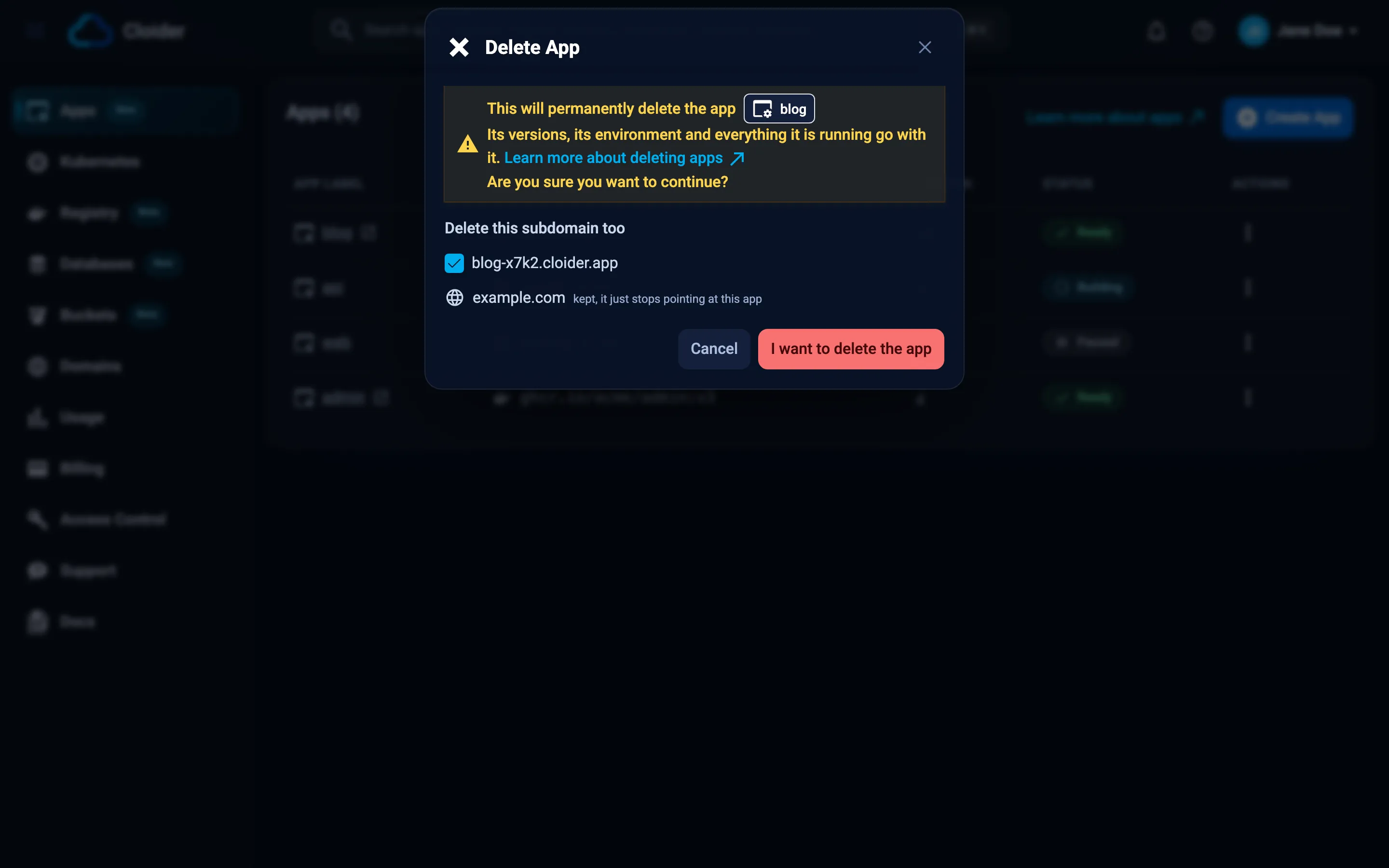
- Free subdomains claimed for the app are deleted with it by default, since they only exist for it. Keep them by
unticking them in the dashboard, or with
--keep-domains. - Custom domains are never deleted with an app. They only lose their route to the app; their DNS records and other targets stay.
- Dashboard
- CLI
- Terraform
- API
- MCP
- Open Apps in the sidebar.
- Click the three dots of the app and choose Delete.
- In Delete App, review what goes. Under Delete this subdomain too, untick a subdomain to keep it. Custom domains are listed as kept, it just stops pointing at this app.
- Click I want to delete the app.
- Type the app's name to confirm and click Delete app.
cloider app delete blog
The CLI asks you to confirm. In scripts, pass --yes. Keep the app's free subdomains with --keep-domains, and wait
until the deletion is finished with --wait:
cloider app delete blog --yes --keep-domains --wait
✓ Deleted app blog
The Terraform provider can't delete apps. If Terraform manages a cloider_target that routes to the app, remove it from
your configuration first, then delete the app with the dashboard, the CLI or the API.
delete_domains lists the subdomains to delete with the app. Only free subdomains are deleted; a custom domain named
here only loses its route:
curl -X DELETE https://cloider.com/api/apps/a7c2mq \
  -H "Authorization: Bearer $CLOIDER_TOKEN" \
  -H "Content-Type: application/json" \
  -d '{"delete_domains": ["blog-x7k2.cloider.app"]}'
The response is the app list, with this app in Terminating. GET /api/apps/a7c2mq/status answers Terminated once
it is gone.
Delete the blog app but keep its cloider.app subdomain.
{"app": "blog", "keep_domains": true, "wait": true}
delete_app is marked as a tool that deletes, so MCP clients that honor that ask you before running it.
A build waiting in the queue when the app is deleted is Canceled. Billing for the app stops once it is deleted.
Troubleshooting
| Message | Cause and fix |
|---|---|
| Only a running app can be paused! | The app isn't Ready, for example it is Failed or still deploying |
| This app is building, wait for that build to finish before pausing it! | Wait for the build, then pause |
| Only a paused app can be resumed! | The app isn't Paused. If it is Pausing, wait a moment |
| This app is already being deleted! | The app is Terminating |
| You have read-only access to this account, you can not pause apps! | Ask an account admin for write access |
| The address shows an error after resuming | The app is still starting. Wait for Ready, then check its logs |
Next steps
- Insights: what an app costs per day.
- Billing model: how paused and deleted resources are billed.
- Delete a domain: remove a custom domain you no longer need.
Frequently asked questions
Does a paused Cloider app cost money?
Not for compute. A paused app has no running container, so it records no CPU or memory. Its images stay in the account's apps registry project, which is billed by the data it stores.
What happens to my app's URL when it is paused?
The free subdomain and custom domains stay attached. The address keeps resolving but answers with an error until you resume the app.
Does resuming an app rebuild it?
No. Resuming starts the version the app was serving, with its current environment variables. To deploy newer code, deploy a new version after resuming.
Can I recover a deleted app?
No. Deleting an app removes its versions, images and variables permanently. Its custom domains stay in your account, and its free subdomains too if you chose to keep them.
Does deleting an app delete my custom domain?
No. A custom domain is never deleted with an app; it only stops routing to it. Only free cloider.app subdomains are offered for deletion, and you can keep those too.