Pause, resume and delete a database
Pausing a database stops it and stops the charge for its plan, while its data stays on its volume. You pay only for that storage until you resume it. Resuming starts it again with the same host, port, user, password and data. Deleting a database removes it, its data and its backups for good.
At a glance
| Pause | Resume | Delete | |
|---|---|---|---|
| Data | Kept | Kept | Deleted, with all backups |
| Connections | Refused | Accepted again once Ready | Gone |
| Host, port, password | Kept | Unchanged | Gone |
| Billing | Storage only, at the volume rate | The plan again | Stops |
| Status | Pausing, then Paused | Starting, then Ready | Terminating, then removed |
| Undo | Resume | Pause | Not possible |
What does a paused database cost?
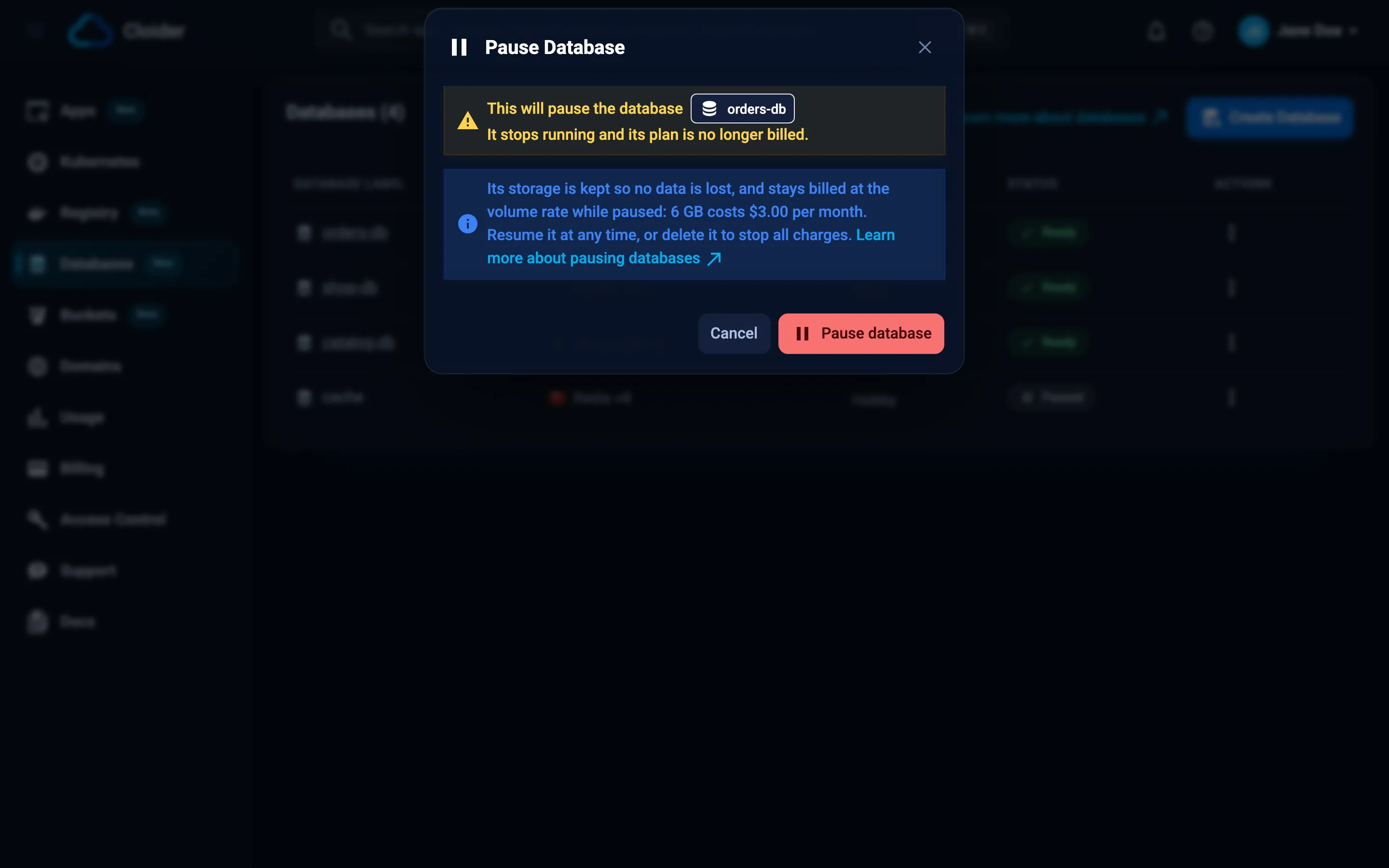
A paused database is billed only for its storage: the plan's volume size at the per GB volume rate, the same rate as Kubernetes volumes. CPU and RAM aren't billed. For example, a PostgreSQL database on the Standard plan keeps its 6 GB volume while paused, and that 6 GB is what you pay for.
The Pause Database dialog shows the exact monthly amount for your database, and cloider pricing lists the paused price of every plan in its PAUSED column. See how databases are billed.
What happens while a database is paused?
- The database server is stopped. Nothing can connect to it, over the public host, the private host, the terminal or
cloider db exec. - Its volume and data are kept as they are.
- No new backups are taken and no changes are recorded, because there is nothing running. A database must be resumed before it can be restored into a new database.
- Insights aren't sampled.
- The connection details don't change. Apps that use the database get connection errors until you resume it.
Pause a database
The database must be Ready to be paused.
- Dashboard
- CLI
- Terraform
- API
- MCP
- Open Databases in the sidebar.
- Click the ⋮ button in the database's row and choose Pause.
- The Pause Database dialog says that the database stops running and its plan is no longer billed, and how much its storage costs per month while paused. Click Pause database.
The status changes to Pausing, then Paused.
cloider db pause orders-db --wait
✓ Pausing database orders-db
✓ Database orders-db is Paused
resource "cloider_database" "staging" {
  name   = "staging-db"
  engine = "postgresql"
  paused = true
}
Setting paused back to false resumes it. terraform apply waits for the change (the update timeout, 20 minutes by default).
curl -X POST https://cloider.com/api/databases/p0q9zm/pause \
  -H "Authorization: Bearer $CLOIDER_TOKEN"
The response is the account's list of databases, with this one in Pausing:
[
  {
    "hashed_id": "p0q9zm",
    "database_name": "orders-db",
    "database_label": "orders-db",
    "database_user": "orders_db_user",
    "service": "PostgreSQL",
    "database_version": "18",
    "status": "Pausing",
    "ssl": true,
    "database_plan": "Standard",
    "trusted_sources": [{"name": "Allow Everything", "code": "*", "type": "Anywhere"}],
    "created_at": "2026-09-02T14:12:08Z"
  }
]
Poll GET /api/databases/p0q9zm/status until it is Paused.
Pause the staging database until Monday.
{"database": "staging-db", "wait": true}
The agent can pause it now. Resuming on Monday is a separate request.
Resume a database
- Dashboard
- CLI
- Terraform
- API
- MCP
- Open Databases in the sidebar.
- Click the ⋮ button in the database's row and choose Resume.
- In the Resume Database dialog, click Resume database.
The status changes to Starting, then Ready.
cloider db resume orders-db --wait
✓ Resuming database orders-db
✓ Database orders-db is Ready
Set paused = false, or remove the attribute (it defaults to false), and run terraform apply.
curl -X POST https://cloider.com/api/databases/p0q9zm/resume \
  -H "Authorization: Bearer $CLOIDER_TOKEN"
The response is the list of databases, with this one in Starting. Poll GET /api/databases/p0q9zm/status until it is Ready.
{"database": "staging-db", "wait": true}
After a resume, the database has the same host, port, user, password and data as before the pause. Connection pools in your apps reconnect on their own once it is Ready.
Delete a database
Deleting a database permanently removes the database, its data, its volume and all of its backups. It can't be undone.
Before you delete a database you might need again, export its data with pg_dump, mysqldump, mongodump or redis-cli --rdb, see make your own backups. Cloider's backups and recorded changes are deleted together with the database.
- Dashboard
- CLI
- Terraform
- API
- MCP
- Open the database and go to the Settings tab, then click Delete database in the danger zone. (Or click ⋮ in the database's row on the Databases list and choose Delete.)
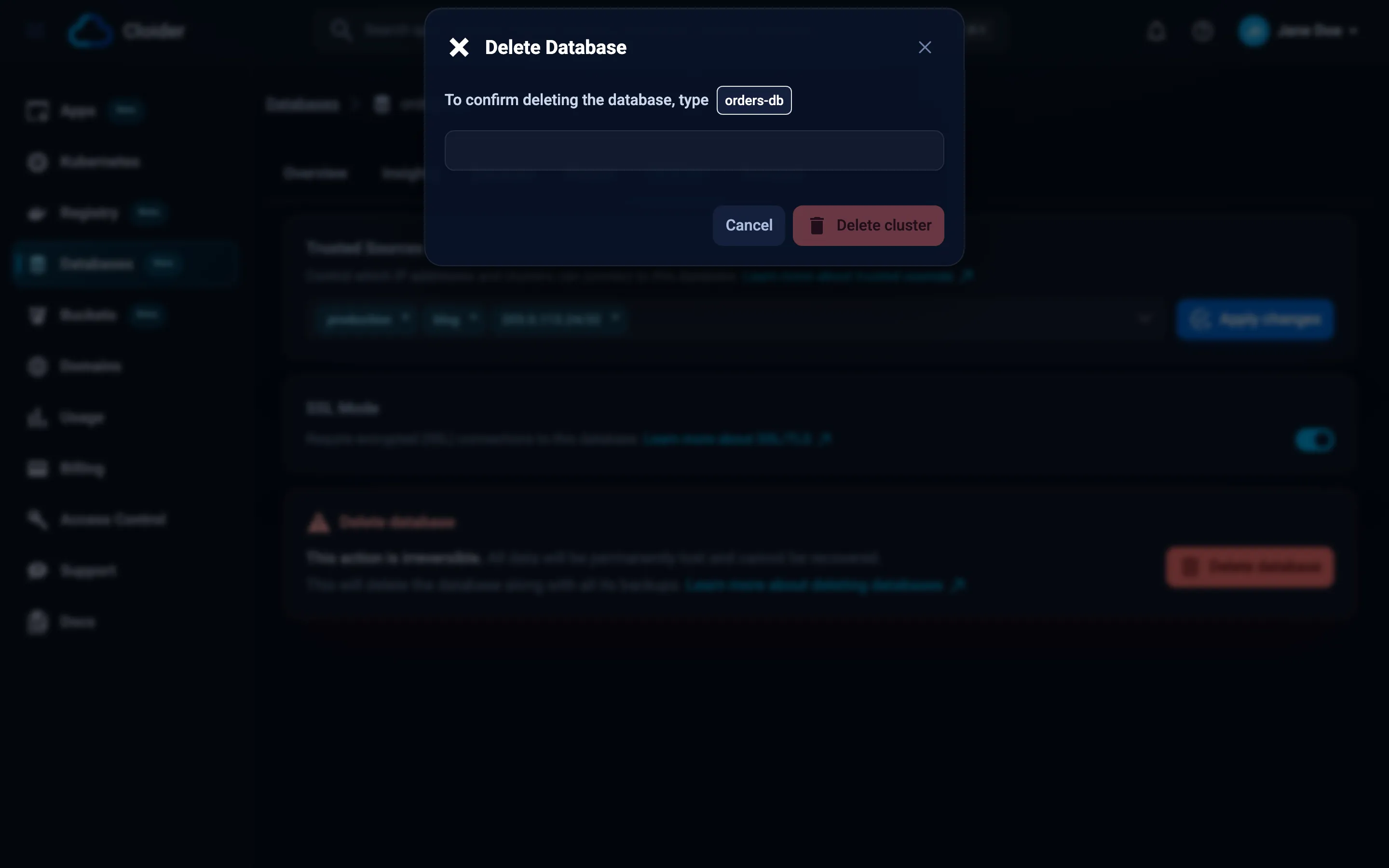
- The Delete Database dialog asks whether you are sure. Click I want to delete the database.
- Type the database's label to confirm, then click the delete button (labeled Delete cluster).
The database shows Terminating while it is removed, then disappears from the list.
cloider db delete orders-db --wait
This permanently deletes database orders-db.
Type orders-db to confirm: orders-db
✓ Deleting database orders-db
✓ Database orders-db is deleted
In scripts, which have no terminal to type in, pass --yes: cloider db delete orders-db --yes. rm is an alias of delete.
Remove the cloider_database resource from your configuration and run terraform apply, or run terraform destroy -target=cloider_database.orders. A database with lifecycle { prevent_destroy = true } can't be destroyed until you remove that setting.
curl -X DELETE https://cloider.com/api/databases/p0q9zm \
  -H "Authorization: Bearer $CLOIDER_TOKEN"
The response is the list of databases, with this one in Terminating. Once it is gone, GET /api/databases/p0q9zm/status returns Terminated.
Delete the database staging-db.
{"database": "staging-db", "wait": true}
delete_database is marked as a destructive tool, so MCP clients ask you before running it.
Billing stops when the database is deleted. On the free plan, a deleted database no longer counts toward the one database limit.
Pause or delete: which one?
| Situation | Choose |
|---|---|
| A staging or demo database you need again next week | Pause |
| A database you aren't sure you still need | Pause, or export the data, then delete |
| A database you will never need again | Delete |
| You want to stop all charges | Delete (a paused database still costs its storage) |
| You want to keep an old copy cheaply for a long time | Export it to a bucket, then delete |
Troubleshooting
Pause is greyed out in the menu
Only a Ready database can be paused. Wait until a running change (creating, resizing, an SSL change) has finished.
The database stays in Pausing or Starting
Pausing and resuming usually take a minute or two. If the status hasn't changed after 15 minutes, contact support with the database's id.
This database is paused. Resume it to open a terminal!
The terminal and cloider db exec need a running database. Resume it first.
You have read-only access to this account, you can not pause databases!
Your role or API token is read-only. The same applies to resuming and deleting.
Next steps
Frequently asked questions
Do I keep my data when I pause a database?
Yes. A paused database keeps its volume and all its data. When you resume it, it has the same host, port, user, password and data as before.
How much does a paused database cost?
Only its storage: the plan's volume size at the per GB volume rate. The plan's CPU and RAM are not billed while it is paused. The Pause Database dialog and cloider pricing show the exact monthly amount.
Can I connect to a paused database?
No. A paused database is stopped, so connections, the browser terminal and cloider db exec all fail until you resume it.
Are backups taken while a database is paused?
No, a paused database is not running and can't be backed up. To restore a paused database into a new database, resume it first.
Can I recover a deleted database?
No. Deleting a database also deletes its backups, so it can't be recovered. Export the data before deleting a database you might need again.