Delete a domain from Cloider
Deleting a domain removes it from your Cloider account together with all of its DNS records and targets. A free subdomain is released so that anyone can claim it, and a custom domain stops being answered by Cloider's nameservers. Deletion is permanent. This page explains exactly what is deleted, how to delete from each tool, and the order to follow so that a domain you still use keeps working.
At a glance
| What is deleted | The domain, every DNS record on it, and every target routing it |
| What stays | Your apps, clusters, Services and buckets with their websites; the domain's registration at your registrar |
| Undo | Not possible. Add the domain again and recreate its records and targets |
| The name afterwards | Free to be added by any account |
| Who can delete | Members with write access. Read-only members and tokens get You have read-only access to this account, you can not delete domains! |
| Tools | Dashboard, cloider domain delete, Terraform, DELETE /api/domains/<domain>, MCP delete_domain |
What happens when you delete a domain?
- DNS records are removed from Cloider's nameservers, then from your account. For a custom domain that still uses
Cloider's nameservers, every name under it stops resolving: resolvers get
NXDOMAINonce their cached answers expire. Websites, email and verification records on the domain stop working. - Targets routing the domain are deleted. The apps, cluster Services and bucket websites they pointed at keep
running, and a bucket's website stays on at its own
s3-websiteaddress. - The domain is removed from your account, and its name is free for any account to add or claim.
Nothing changes at your registrar: the domain stays registered to you, and its nameservers stay whatever you set them to. If they still point at Cloider, change them (see below).
Before you delete a custom domain you still use
If the domain should keep working somewhere else, move its DNS first, in this order:
- Export the records.
cloider dns list example.com -o json > example.com-dns.jsonsaves every record. - Recreate them at the new DNS provider, including MX, SPF, DKIM and DMARC records for email.
- Change the nameservers at your registrar to the new provider's.
- Wait at least 48 hours, until resolvers have stopped asking Cloider's nameservers.
- Delete the domain in Cloider.
The domain's page in the dashboard says the same: This action is irreversible. Make sure to configure your domain with another DNS provider before deleting this domain.
If you only want to stop serving an app or Service on the domain, don't delete the domain: delete the target instead. The domain and its records stay.
Delete a domain
- Dashboard
- CLI
- Terraform
- API
- MCP
A custom domain, from its page:
- Open Domains in the sidebar and click the domain.
- In the Delete domain section at the bottom (This will delete all associated DNS records and targets.), click Delete domain.
- The Delete Domain dialog says This will permanently delete the domain with its name. Click I want to delete the domain.
- Type the domain's name to confirm, and click Delete domain. A message confirms Domain deleted successfully.
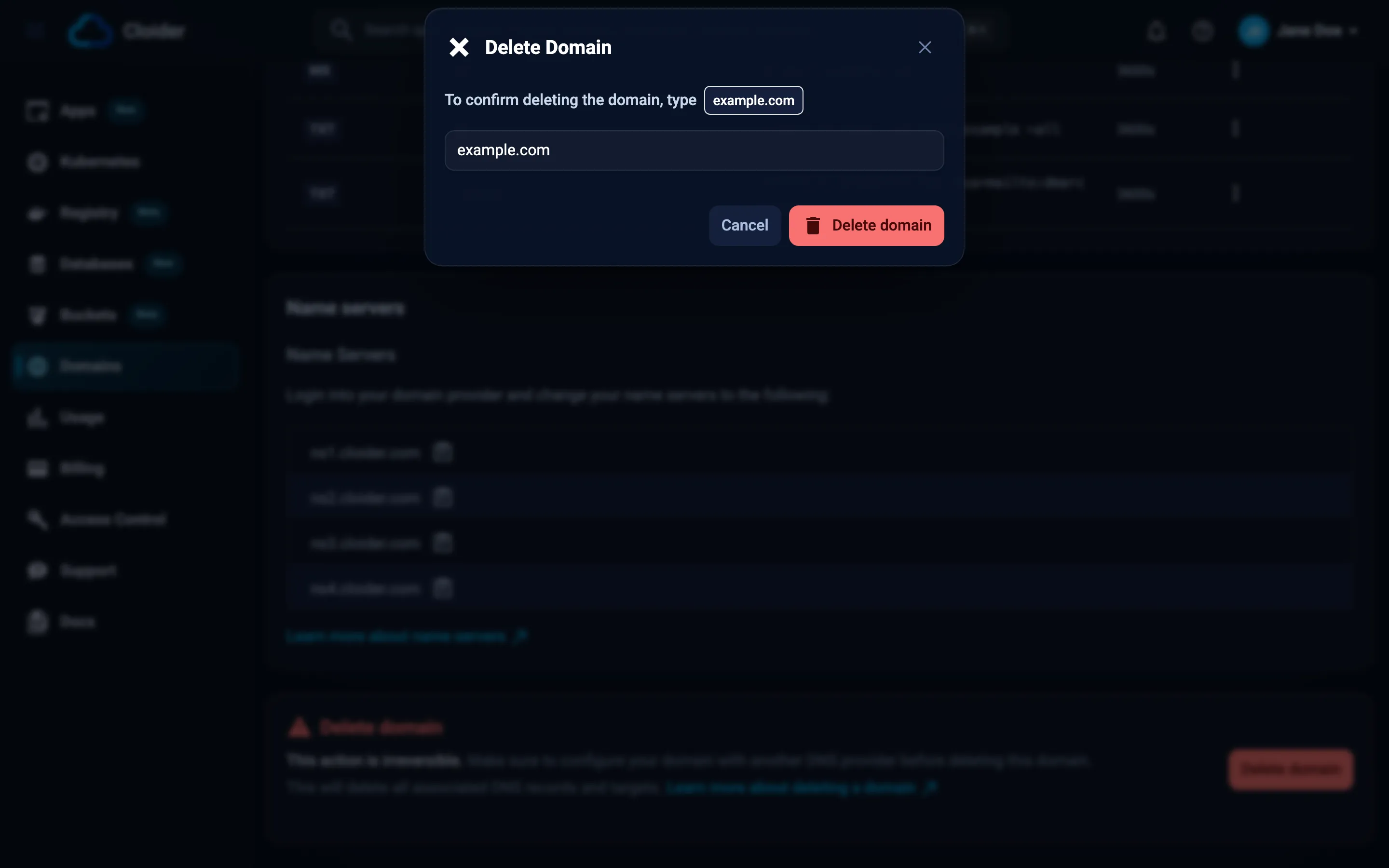
Any domain, from the list: on Domains, open the domain's actions menu, click Delete, and confirm the same way.
cloider domain delete example.com
This permanently deletes domain example.com.
Type example.com to confirm: example.com
✓ Deleted example.com
In scripts and CI, where nothing can be typed, add --yes:
cloider domain delete acme-blog.cloider.app --yes
Remove the cloider_domain resource, and the cloider_dns_record and cloider_target resources that use it, then
apply:
terraform plan    # shows the domain, its records and targets being destroyed
terraform apply
To destroy only the domain and what depends on it:
terraform destroy -target=cloider_domain.example
Deleting a domain outside Terraform deletes its records and targets too; run terraform apply afterwards to bring the
state in line, which recreates them if they are still in your configuration.
curl -X DELETE https://cloider.com/api/domains/example.com \
  -H "Authorization: Bearer $CLOIDER_TOKEN"
The response is the list of domains left in the account:
[
  {
    "domain_name": "acme-blog.cloider.app",
    "domain_type": "Subdomain",
    "status": "Active",
    "created_at": "2026-10-20T09:12:44Z"
  }
]
A domain that isn't in your account answers 404.
Delete the domain example.com from Cloider.
{"domain": "example.com"}
delete_domain is marked as a tool that deletes, so MCP clients can ask you before running it. See
Safety and permissions.
Verify
The domain is gone from cloider domain list and from the Domains page. For a custom domain that still used
Cloider's nameservers, Cloider now answers NXDOMAIN:
dig @ns1.cloider.com example.com A
;; ->>HEADER<<- opcode: QUERY, status: NXDOMAIN, id: 40212
If you moved DNS to another provider, check that the public answer comes from there:
dig example.com A +short
dig example.com MX +short
Free subdomains and app deletion
When you delete an app, the free subdomains claimed with it are deleted too, unless you choose to keep them: the
dashboard's delete dialog has them selected, and cloider app delete --keep-domains keeps them. A custom domain is
never deleted with an app; only its targets to that app are removed. See
Pause, resume and delete apps.
Deleting a free subdomain releases the name immediately. If you might want it again, keep it: a subdomain without targets costs nothing.
Troubleshooting
| Problem | Cause and fix |
|---|---|
You have read-only access to this account, you can not delete domains! | Ask an account member with write access, or use a token with write access |
the name didn't match, nothing was deleted (CLI) | Type the domain's exact name at the prompt |
deleting domain example.com needs --yes when not running in a terminal (CLI) | Add --yes in scripts |
Operation failed, could not delete DNS records | Nothing was deleted. Try again in a moment |
| Email stopped after deleting | The domain still pointed at Cloider's nameservers. Recreate the records at another DNS provider and change the nameservers |
Next steps
- Nameservers: move DNS to or from Cloider.
- Free subdomains: claim a new name.
- Targets: stop routing without deleting the domain.
Frequently asked questions
What happens to DNS records when I delete a domain?
They are deleted with it. If the domain still uses Cloider's nameservers, every name under it stops resolving once resolvers' cached answers expire.
Does deleting a domain delete my app or cluster?
No. Only the domain, its DNS records and its targets are deleted. The apps, Services and bucket websites the targets pointed at keep running.
Can I undo deleting a domain?
No. Add the domain again and recreate its records and targets. A free subdomain can be claimed by another account in the meantime.
Does deleting a domain cancel its registration?
No. Cloider doesn't register domains. The domain stays registered at your registrar until you cancel it there.
How do I stop serving my app on a domain without deleting it?
Delete the target that routes the domain to the app. The domain and its DNS records stay.