Deploy an app from your computer with cloider deploy
You don't need a git provider to run an app on Cloider: cloider deploy packages the folder you are in, uploads it,
and builds and deploys it, and the dashboard takes a folder, a .zip file or a single HTML file by drag and drop. This
page covers the first deploy, later versions, what is uploaded and what is left out, how a folder stays linked to its
app, deploying from CI, and the REST API calls underneath.
Before you begin
- A Cloider account with a role that can create resources. See Accounts and roles.
- For the CLI: install
cloiderand log in. In CI, setCLOIDER_TOKENto an API token with read and write access. - A project Cloider can build: a
Dockerfileat its root, project files a buildpack recognizes (such aspackage.json,requirements.txtorgo.mod), or plain HTML. See Supported languages.
Deploy a folder with the CLI
Run cloider deploy in the project's folder, or pass the folder as an argument. The first time, it creates the app:
cd blog
cloider deploy
Packaged 42 files (18.3 KB)
Detected JavaScript Express
✓ Created app blog on port 3000
Linked . to blog in .cloider/app.json, later deploys from here update it.
Downloading source for app a7c2mq...
No Dockerfile in the source, looking for a buildpack...
[buildpack output]
App a7c2mq built and pushed as registry.cloider.com/acme-apps/blog-a7c2mq:1
Deploying the image...
Waiting for the app to start...
The app is up, watching it for 15s...
The app is running.
✓ Deployed version 1 of blog
https://blog-x7k2.cloider.app/
What happened, step by step:
- Packaging. The folder is zipped, leaving out what
.gitignoreand.cloiderignorelist (see What is uploaded?). - Upload and detection. The archive is uploaded and Cloider reads it to detect the language, framework, port and
a name. When detection recognizes nothing, the CLI says so and creates the app with its defaults. If detection
hasn't answered after 3 minutes, the CLI stops with
detection took too long, try again. - Create. The app is created with:
- the name from
--name, else the one detection found (for example thenameinpackage.json), else the folder name made valid; - the port from
--port, else the detected port, else8080; - a free subdomain
<name>-<4 random characters>.cloider.app, unless you pass--subdomainor--no-subdomain.
- the name from
- Link. The folder is linked to the app in
.cloider/app.json. - Build and follow. The build log streams to your terminal until the new version is running, then the app's URL is printed.
Build output goes to stderr and the URL to stdout, so a script can capture the address alone:
URL=$(cloider deploy)
curl -fsS "$URL"
Options for a new app
These flags only apply when cloider deploy creates the app. On a folder that is already linked they are ignored.
| Flag | What it sets |
|---|---|
--name blog | The app name: 2 to 64 lowercase letters, digits and -, starting with a letter |
--port 3000 | The port the app listens on |
--start-command "node server.js" | The command a buildpack build starts the app with |
--subdomain blog-acme | The free subdomain, a label (blog-acme) or a full name (blog-acme.cloider.app) |
--no-subdomain | Don't claim a free subdomain. Route a domain to the app later with a target |
-e, --env KEY=VALUE | A runtime environment variable (repeatable) |
--secret-env KEY=VALUE | A secret runtime environment variable (repeatable) |
--env-file .env.production | Runtime variables from a .env file |
--build-arg KEY=VALUE | A Dockerfile build argument, for ARG KEY (repeatable) |
--secret-build-arg KEY=VALUE | A Dockerfile build secret, for RUN --mount=type=secret,id=KEY (repeatable) |
--build-arg-file FILE | Build arguments from a .env file |
--build-env KEY=VALUE | A buildpack build variable (repeatable) |
--secret-build-env KEY=VALUE | A secret buildpack build variable (repeatable) |
--build-env-file FILE | Build variables from a .env file |
-d, --detach | Return once the build starts, instead of following it |
A complete first deploy of a production Node.js app:
cloider deploy --name blog --port 3000 \
  --env NODE_ENV=production \
  --secret-env DATABASE_URL='postgres://blog:s3cret@orders-db.example:5432/blog' \
  --subdomain blog-acme
See Environment variables for the difference between the variable kinds, and
cloider deploy for the command reference.
Deploy a new version
Run cloider deploy again in the same folder. Because the folder is linked, it uploads the current files as the next
version of the same app:
cloider deploy
Packaged 43 files (18.9 KB)
✓ Uploaded version 2 of blog
Downloading source for app a7c2mq...
...
The app is running.
✓ Deployed version 2 of blog
https://blog-x7k2.cloider.app/
The version that is live keeps serving until the new one is running. To deploy a folder to an app it isn't linked to, name the app:
cloider deploy ./dist --app blog
A new deploy is refused while another build of the same app is running, or while the app is paused.
How does a directory stay linked to an app?
The first cloider deploy writes .cloider/app.json in the folder:
{
  "app": "a7c2mq",
  "name": "blog",
  "account": "team@example.com",
  "api_url": "https://cloider.com/api"
}
appis the app's id, which is what later deploys use.nameandaccountare there for you to read.- Commit the file to share the link with teammates and CI, or add
.cloider/to.gitignoreto keep it local. It is never uploaded with the source. - Link a folder to an existing app, or move the link to another app, with
cloider app link:
cloider app link blog
cloider app link api ./services/api
✓ Linked . to app blog
If the linked app is gone, or belongs to another account than the one you are logged in to, cloider deploy says so
and asks you to deploy with --app or relink.
What is uploaded?
cloider deploy uploads every regular file in the folder, except:
.git,.cloiderand.DS_Store, always.- Anything matched by a
.gitignoreor.cloiderignorefile at the root of the folder, using.gitignoresyntax. - Symbolic links and other special files.
Use .cloiderignore for files that are in git but shouldn't be deployed, such as tests, docs or local data:
# Not needed to build or run the app
tests/
docs/
*.md
coverage/
.env.local
The archive can hold up to 2000 files and 100 MB compressed. Cloider also rejects a source that is over
500 MB once extracted, that is empty, or that holds absolute paths or .. entries. If you hit the file limit, the
usual culprit is a dependency folder: make sure node_modules/, vendor/, .venv/ or target/ is in .gitignore or
.cloiderignore. The build installs dependencies itself.
If the uploaded source contains a single folder at the top level, that folder is treated as the project root. A zip of
blog/ with everything inside it builds exactly like the contents of blog/.
Upload your source in the dashboard
The dashboard takes a project folder, a .zip file, or a single HTML file.
- Open Apps in the sidebar and click Create App.
- Under or upload your code, drag and drop the folder, zip or HTML file onto Application source, or click choose a folder or browse files. The upload starts as soon as you pick it.
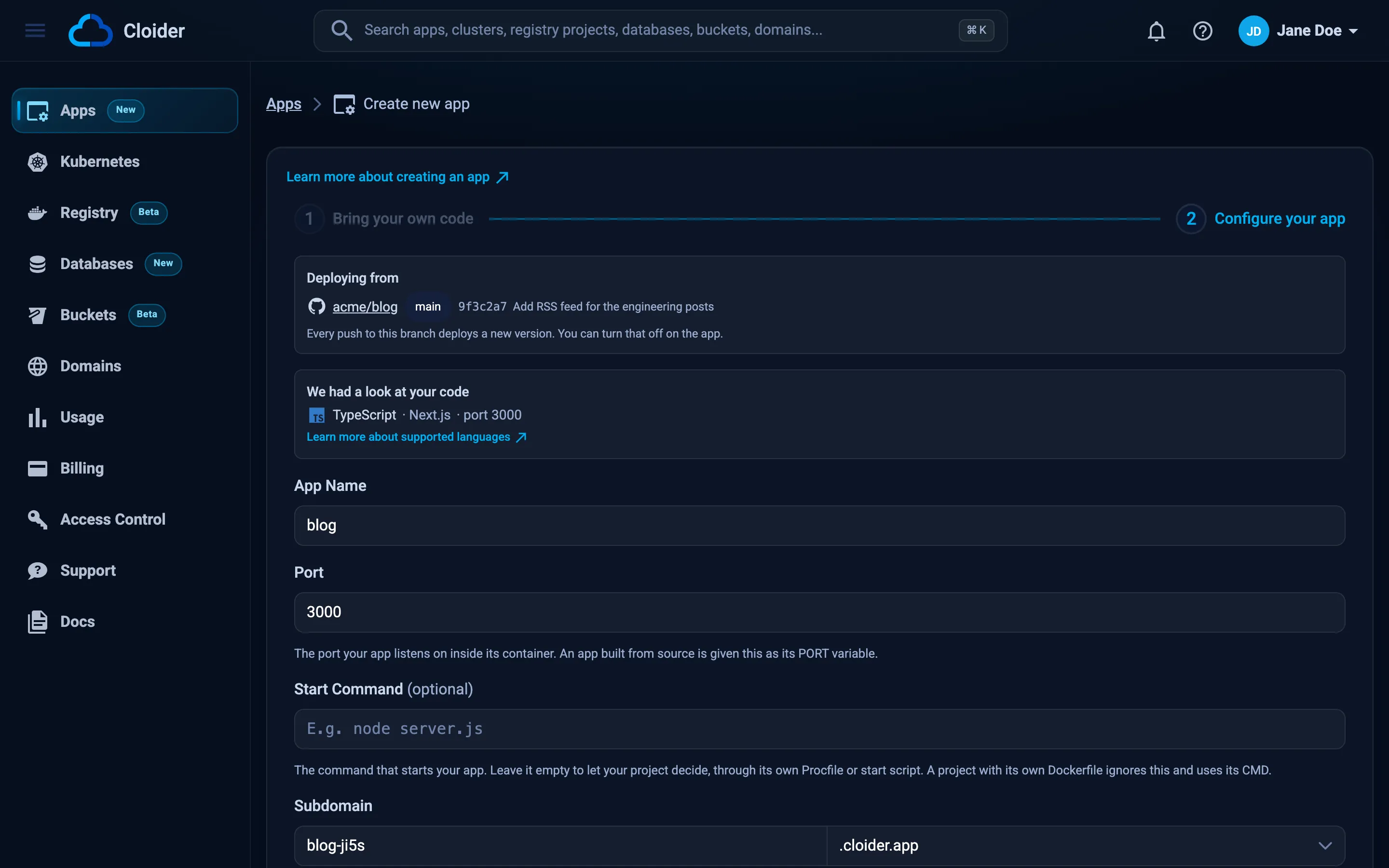
- Wait while Cloider analyzes your code, then on Configure your app check the detected language, framework and port, and set App Name, Port, Start Command (optional) and Subdomain.
- Optionally add environment variables, build variables and build arguments.
- Click Create App.
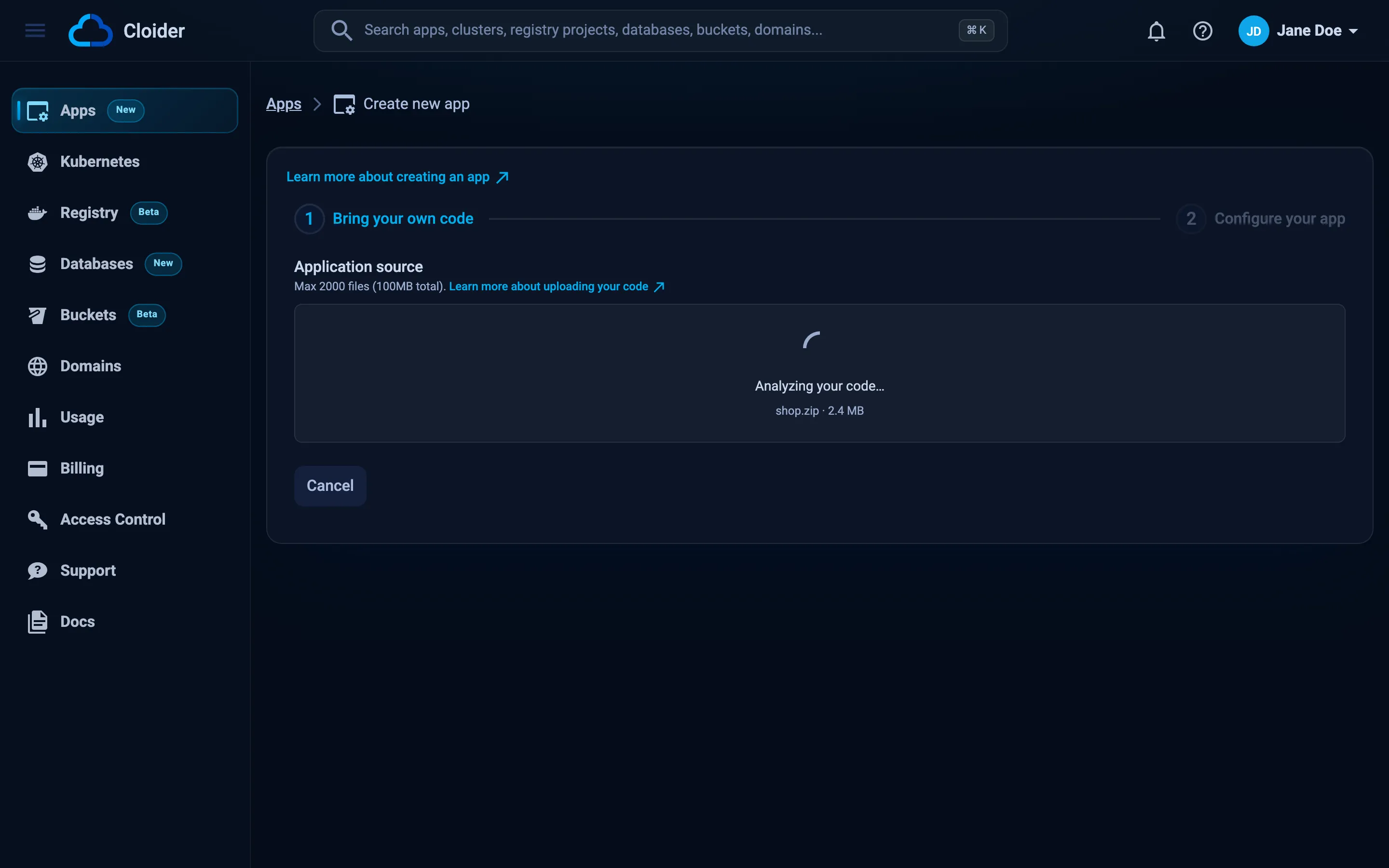
The dashboard uploader zips a folder in your browser. Unlike the CLI, it doesn't read .gitignore or
.cloiderignore: it only leaves out .git and .DS_Store. Delete node_modules/ and other dependency or build
folders before you drop a folder, or zip the project yourself. A zip file you made is uploaded as it is. The same
limits apply: 2000 files and 100 MB.
Turning off Give this app a free subdomain opens a reminder that the app won't have an address. You can connect a domain later from Domains, see Domains for apps.
Deploy a new version from the dashboard
- Open the app and go to the Builds tab.
- Click Deploy new version.
- Drop the new folder, zip or HTML file and click Deploy.
The new build appears at the top of the list. A git app shows Deploy latest commit instead, see Deploy from git.
Deploy from CI
cloider deploy works the same in a pipeline: set CLOIDER_TOKEN, and either commit .cloider/app.json or pass
--app. Nothing prompts without a terminal, and the command exits non-zero when the build or the start fails.
name: Deploy
on:
  push:
    branches: [main]
jobs:
  deploy:
    runs-on: ubuntu-latest
    steps:
      - uses: actions/checkout@v4
      - name: Install the cloider CLI
        run: |
          curl -fsSL https://cloider.com/install.sh | CLOIDER_INSTALL_DIR="$HOME/bin" sh
          echo "$HOME/bin" >> "$GITHUB_PATH"
      - run: cloider deploy --app blog
        env:
          CLOIDER_TOKEN: ${{ secrets.CLOIDER_TOKEN }}
See CI/CD with GitHub Actions and CI/CD with GitLab for complete pipelines.
Deploy with the REST API
The CLI and the dashboard use the same public API. The archive itself never goes through the API: you get a presigned
URL and PUT the zip to it.
- Dashboard
- CLI
- Terraform
- API
- MCP
Use Create App for a new app and Deploy new version on the Builds tab for a new version, as described above.
cloider deploy            # a new app, or the next version of the linked one
cloider deploy --app blog # the next version of a named app
The Terraform provider can't upload source or deploy apps. Run cloider deploy in your pipeline, then route a domain
to the app with cloider_target if needed.
A new app takes five calls. Stage the upload with the archive's name, type and exact size in bytes:
zip -r blog.zip . -x '.git/*' 'node_modules/*'
SIZE=$(wc -c < blog.zip)

curl -X POST https://cloider.com/api/apps/source \
  -H "Authorization: Bearer $CLOIDER_TOKEN" \
  -H "Content-Type: application/json" \
  -d "{\"source\": {\"name\": \"blog.zip\", \"type\": \"application/zip\", \"size\": $SIZE}}"
{"token": "Wq3...staging-token", "presigned_url": "https://...signed-upload-url..."}
Upload the archive to the presigned URL with the same content type, then ask for detection:
curl -X PUT "$PRESIGNED_URL" -H "Content-Type: application/zip" --data-binary @blog.zip

curl -X POST https://cloider.com/api/apps/source/$TOKEN/detect \
  -H "Authorization: Bearer $CLOIDER_TOKEN"
Poll the staged source until status is Done (or Failed, which still lets you create the app):
curl https://cloider.com/api/apps/source/$TOKEN \
  -H "Authorization: Bearer $CLOIDER_TOKEN"
{
  "status": "Done",
  "app_name": "blog",
  "language": "JavaScript",
  "framework": "Express",
  "port": 3000,
  "message": "",
  "build_args": []
}
Create the app on the staged source. Only app_name, port and source_token are required:
curl -X POST https://cloider.com/api/apps \
  -H "Authorization: Bearer $CLOIDER_TOKEN" \
  -H "Content-Type: application/json" \
  -d '{
    "app_name": "blog",
    "port": 3000,
    "source_token": "'"$TOKEN"'",
    "start_command": "",
    "subdomain": "blog-x7k2.cloider.app",
    "env_vars": [
      {"key": "NODE_ENV", "value": "production", "secret": false},
      {"key": "DATABASE_URL", "value": "postgres://blog:s3cret@orders-db.example:5432/blog", "secret": true}
    ],
    "build_env_vars": [],
    "build_args": []
  }'
{"hashed_id": "a7c2mq", "build_hashed_id": "b2k8vn", "version": "1"}
The first build is queued right away. If the subdomain or a variable list couldn't be saved, the response also carries
subdomain_error, env_error, build_env_error or build_args_error; the app exists either way. A staged upload
expires after 2 hours.
A new version of an existing app takes three calls:
curl -X POST https://cloider.com/api/apps/a7c2mq/builds \
  -H "Authorization: Bearer $CLOIDER_TOKEN" \
  -H "Content-Type: application/json" \
  -d "{\"source\": {\"name\": \"blog.zip\", \"type\": \"application/zip\", \"size\": $SIZE}}"
{"hashed_id": "c9w3rt", "version": "2", "presigned_url": "https://...signed-upload-url..."}
curl -X PUT "$PRESIGNED_URL" -H "Content-Type: application/zip" --data-binary @blog.zip

curl -X POST https://cloider.com/api/apps/a7c2mq/builds/c9w3rt/uploaded \
  -H "Authorization: Bearer $CLOIDER_TOKEN" \
  -H "Content-Type: application/json" \
  -d '{"uploaded": true}'
Send {"uploaded": false} if the upload failed, which fails the build at once instead of leaving it Pending. A build
whose upload never finishes is failed after 15 minutes. See App builds API.
Ask your agent:
Deploy /home/me/blog to Cloider as an app called blog on port 3000, with NODE_ENV=production.
It calls the deploy_app tool, which follows the build and answers with the URL:
{"dir": "/home/me/blog", "name": "blog", "port": 3000, "env": {"NODE_ENV": "production"}}
For the next version, the same tool with only the directory, or with app to pick the app:
{"dir": "/home/me/blog"}
Verify
cloider deployends with✓ Deployed version N of <app>and prints the URL.cloider app get blogshowsStatus Ready, the version and the URL.cloider app open blogopens the app in your browser.
Troubleshooting
| Message | Cause and fix |
|---|---|
more than 2000 files to deploy, list what isn't needed in .cloiderignore | Add dependency, build and test folders to .cloiderignore |
the archive is 140 MB, over the 100 MB limit; list what isn't needed in .cloiderignore | Same, or remove large assets and serve them from object storage |
nothing to deploy, every file is ignored | Your ignore files match everything. Check .gitignore and .cloiderignore |
| Only up to 2000 files can be uploaded, zip your project first. (dashboard) | Remove node_modules/ and similar folders, or zip the project without them |
| The selection is 152 MB, the limit is 100MB. (dashboard) | Same as above |
| This upload has expired, upload your app again! | More than 2 hours passed between the upload and creating the app. Start again |
the extracted source is 612MB, over the 500MB limit (in the build log) | The archive is small but expands beyond 500 MB. Remove generated or binary files |
the source archive is empty (in the build log) | The zip has no files. Check what you zipped |
. is linked to app a7c2mq, which this account doesn't have; deploy with --app, or relink with cloider app link | The linked app was deleted or belongs to another account. Use --app, or cloider app link |
couldn't find a free subdomain, pick one with --subdomain | Pass --subdomain with a name of your own |
| This app is already building, wait for that build to finish before deploying a new version! | One build at a time per app. Wait, then deploy again |
| This app is paused. Resume it before deploying a new version! | cloider app resume blog, then deploy |
detection took too long, try again | Detection is queued with other work. Run cloider deploy again, or pass --name and --port |
If the upload works but the build or the start fails, see Troubleshooting apps.
Next steps
- Build configuration: detection, Dockerfile or buildpacks, and the port.
- Environment variables: runtime variables, secrets and build-time variables.
- Builds and deployments: build history, logs and retries.
cloider deployreference: every flag.
Frequently asked questions
How do I deploy a folder to Cloider?
Install the cloider CLI, log in, and run cloider deploy in the folder. The first deploy creates the app with a free cloider.app subdomain and links the folder to it; running cloider deploy again deploys the next version. In the dashboard, drop the folder on Create App instead.
Which files does cloider deploy upload?
Every regular file in the folder except .git, .cloider, .DS_Store, symbolic links, and anything matched by a .gitignore or .cloiderignore at the folder's root. The archive can hold up to 2000 files and 100 MB.
What is .cloiderignore?
A file at the root of your project, in .gitignore syntax, listing files that cloider deploy should leave out even though git tracks them, such as tests or docs. It is read together with .gitignore.
Should I commit .cloider/app.json?
Commit it if teammates and CI should deploy the folder to the same app; it holds the app's id, its name, the account email and the API URL, and no secrets. Add .cloider/ to .gitignore to keep the link local.
Can I deploy a single HTML file?
Yes. Drop the HTML file on Create App in the dashboard, or put it in a folder and run cloider deploy. A source with HTML pages and no project files is served as a static site.
Does the dashboard upload respect .gitignore?
No. The dashboard uploader only leaves out .git and .DS_Store. Remove dependency folders such as node_modules before dropping a folder, or use cloider deploy, which reads .gitignore and .cloiderignore.