Delete a Kubernetes cluster
Deleting a Cloider cluster permanently removes it and everything in it: the control plane, every workload, every PersistentVolumeClaim and its data, and every load balancer. Billing for the cluster stops once it is deleted. There is no undo and no backup to restore from, so save what you need first. If you only want to stop paying for compute for a while, pause the cluster instead.
What is deleted
| Deleted with the cluster | Not deleted |
|---|---|
| The control plane and the cluster's API endpoint | Domain targets that routed to the cluster's Services |
| All namespaces, workloads, Services, ConfigMaps, Secrets and other objects | Registry tokens you created for the cluster |
| All PersistentVolumeClaims and the data on them | Your databases, buckets and registry images |
| All LoadBalancer Services and their IPs | Your domains and DNS records, including A records that pointed at load balancer IPs |
| The kubeconfig, which stops working | Usage already accrued this month, which is still billed |
Before you begin
- A role that can delete resources. Members with read-only access can't delete clusters.
- Save what you need:
# Export the manifests of everything in the namespaces you care about
kubectl get deploy,sts,svc,cm,secret,pvc,ingress,cronjob -n shop -o yaml > shop-backup.yaml

# Copy files out of a volume through a running pod
kubectl cp shop/web-6d8f7b9c5d-2kq9x:/usr/share/nginx/html ./html-backup
Exported Secrets contain your credentials in base64; store the file safely. For larger volumes, copy the data to a bucket first.
Delete the cluster
- Dashboard
- CLI
- Terraform
- API
- MCP
- Open Kubernetes in the sidebar.
- Click the actions button (the three dots) on the cluster's row and choose Delete.
- The Delete Cluster dialog warns that this will permanently delete the cluster. Click I want to delete the cluster.
- Type the cluster's label, for example
staging, to confirm. - Click Delete cluster. The button is only enabled once the label matches.
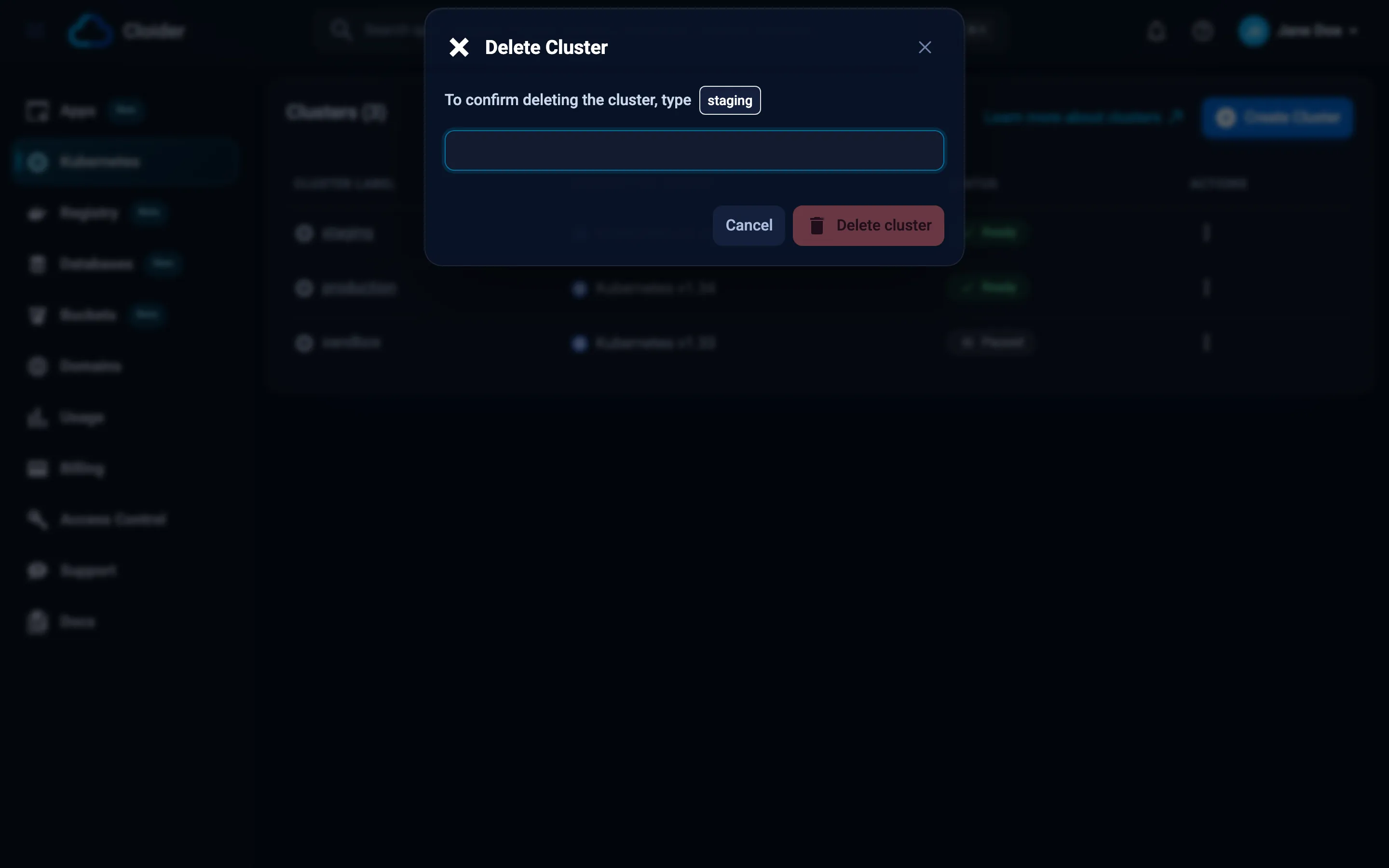
The cluster shows Terminating and disappears from the list once it is deleted.
cloider cluster delete staging --wait
This permanently deletes cluster staging.
Type staging to confirm: staging
✓ Deleting cluster staging
⠋ Waiting for cluster staging
✓ Cluster staging is deleted
In scripts and CI, where nothing can be typed, confirm with --yes:
cloider cluster delete staging --yes --wait
Without a terminal and without --yes, the CLI refuses with deleting cluster staging needs --yes when not running in a terminal (exit code 2). If the typed name doesn't match, it stops with the name didn't match, nothing was deleted. cloider cluster rm is an alias of delete.
Remove the cloider_cluster resource from your configuration and apply, or destroy it directly:
terraform destroy -target=cloider_cluster.staging
Terraform waits until the cluster is deleted, up to 20 minutes by default (the delete timeout). Destroy the kubernetes and helm resources that live in the cluster in the same run or before, so Terraform doesn't try to reach a cluster that no longer exists. Changing a cluster's name or version also deletes it, because the cluster is replaced.
curl -X DELETE https://cloider.com/api/clusters/x8f2kq \
  -H "Authorization: Bearer $CLOIDER_TOKEN"
The response is the account's cluster list, with this cluster now Terminating:
[
  {
    "hashed_id": "x8f2kq",
    "cluster_name": "staging",
    "cluster_label": "staging",
    "cluster_version": "1.34",
    "is_ha": false,
    "status": "Terminating",
    "created_at": "2026-10-19T09:41:07Z"
  }
]
Poll GET /api/clusters/x8f2kq/status until it answers Terminated, or 404 once the cluster is gone.
Ask your agent:
Delete the staging cluster.
It calls the delete_cluster tool:
{"cluster": "staging", "wait": true}
delete_cluster is marked as destructive, so MCP clients that honor tool annotations ask you before running it, and it isn't offered when the server runs with --read-only. See MCP safety and permissions.
Verify
cloider cluster list
The cluster is no longer listed. Its kubeconfig context stops working; remove it from your kubeconfig:
kubectl config delete-context cloider-staging
kubectl config delete-cluster cloider-staging
kubectl config delete-user cloider-staging
Clean up what pointed at the cluster
Domain targets that routed to the cluster's Services stay on their domains and show up as Orphaned targets detected! on the domain's page. Delete them:
cloider target list shop-staging.cloider.app -o wide
cloider target delete t4k9
Registry tokens made for the cluster keep working until they expire. Delete them in Registry, Tokens, or with cloider registry token delete staging-cluster.
DNS records that pointed at the cluster's load balancer IPs now point at IPs that are no longer yours. Delete or update them in DNS records.
Database trusted sources that allowed the cluster can be removed. See Trusted sources.
How is a deleted cluster billed?
Billing stops when the cluster is deleted. The compute, volumes and load balancers it used up to that moment, in the current month, are still part of your next invoice. See Billing.
Troubleshooting
| Problem | Cause and fix |
|---|---|
| Delete is disabled | Your role is read-only, or the cluster is already Terminating |
You have read-only access to this account, you can not delete clusters! (HTTP 403) | Ask an owner or admin for a role that can delete resources |
This API token is read only! (HTTP 403) | Use a Read & Write token. The CLI exits with code 5 |
| Delete cluster stays disabled in the dialog | The typed text must match the cluster's label exactly, for example staging-1 and not staging |
The cluster stays Terminating for a long time | Wait a few more minutes, then open a support request with the cluster id |
2 clusters are named "staging", pick one by id (CLI) | Several clusters share the name. Use the id the message lists, or cloider cluster list -o wide |
Next steps
- Create a cluster again when you need one.
- Usage to check your costs.
- Resource lifecycle for how deletion works across Cloider.
Frequently asked questions
Can I recover a deleted Cloider Kubernetes cluster?
No. Deleting a cluster permanently removes its workloads, objects, PersistentVolumeClaims and their data. There is no undo and no backup to restore from, so export manifests and copy data before deleting.
Does deleting a cluster delete its volumes?
Yes. All PersistentVolumeClaims and the data on them are deleted with the cluster, and their billing stops.
Are domain targets deleted with the cluster?
No. Targets that routed to the cluster stay on their domains and show as orphaned targets. Delete them from the domain page or with cloider target delete.
Should I pause or delete a cluster I do not use?
Pause it if you will need it again: its objects and volumes are kept and compute is not billed. Delete it if you will not: that also stops volume and load balancer charges.